


The views expressed are my own and do not represent any organization I’m affiliated with.
Introduction: The End of the Linear Journey
User journeys used to be simple stories.
A person had a goal, the system responded, and the process ended. We mapped those paths as tidy lines: “user clicks button, system displays confirmation.” That model just broke.
Today, AI tools and agents are active participants, not endpoints. They summarize, recommend, filter, and act. They make decisions on our behalf or propose ones for us to approve. In short, they’ve taken a seat in the workflow where humans used to sit.
That’s not bad design. It’s a new kind of collaboration.
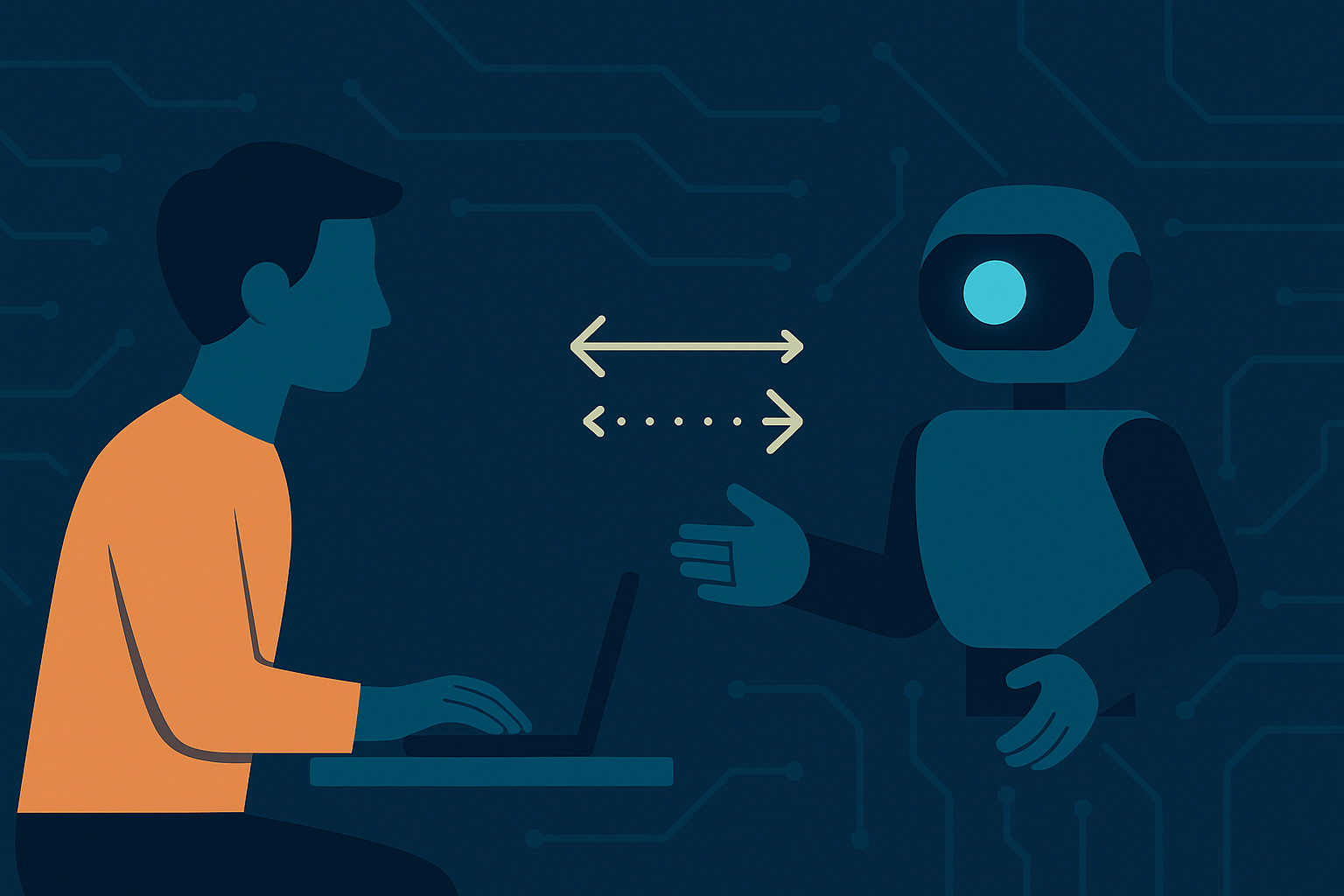
But as soon as you put AI into the workflow, the old UX logic stops working. You no longer have a single, predictable “user.” You have a partnership that constantly exchanges roles, negotiates context, and learns in both directions. The result isn’t a flow. It’s a conversation.
This article is for UX designers and researchers working on AI-powered products who need to understand how collaboration design differs from traditional interface design. You’ll learn what makes these systems fail, how to test them effectively, and what skills you need to design them well. Leaders building AI capabilities will find frameworks for organizational readiness. The core guidance targets practitioners who design and evaluate these systems day-to-day.
From User Flow to Collaboration Loop
Traditional UX design starts with the user’s intent and ends when they achieve it.
Human-agent collaboration doesn’t end at all. It loops.
The human defines goals. The agent interprets, executes, and proposes refinements. The human adjusts, clarifies, and supervises. The system learns, adapts, and anticipates. It’s less like a service and more like working alongside a competent but unpredictable intern.
Designers are used to mapping one direction of interaction. But in this new environment, causality runs both ways. The AI influences the user’s choices as much as the user shapes the AI’s output.
The result: UX teams are no longer just designing for human usability. They’re designing the rules of collaboration.
The Three Pillars of Collaborative UX
To make this partnership work, three design dimensions become essential: transparency, control, and co-adaptation.
1. Transparency: Make the Machine Legible
If an AI can’t explain itself, users will fill in the blanks, often incorrectly.
People don’t need to see every algorithmic decision, but they do need signs of reasoning. Show what data the system is using, what confidence it has, and what boundaries exist.
Instead of “AI has summarized this document,” try:
“Summary generated from 312 survey responses. Confidence: high. Updated 5 minutes ago.”
Instead of “AI suggested this code change,” try:
“Suggestion based on 47 similar patterns in your codebase. This pattern typically reduces error rates by 15 to 20 percent.”
Instead of “Match confidence: 94 percent,” try:
“Match confidence: 94 percent based on name, date of birth, and address. Social security number unavailable for verification.”
Each example changes the tone of trust. The user can gauge whether to rely on the output, cross-check it, or ignore it. Transparency isn’t about giving users math. It’s about giving them context to make informed decisions about when to trust and when to verify.
2. Control: Who Has the Stick?
In aviation, pilots use a simple rule: only one person flies at a time. Digital systems now face the same challenge: who’s in control right now?
Automation without clarity causes friction. Users need to know when to intervene, when to confirm, and when to let the system act.
Good collaborative design makes those transitions visible:
System leads: “AI is processing 1,847 records. You’ll be notified when review is needed (est. 4 minutes).”
Human leads: “Review these 12 high-risk matches before proceeding. AI has flagged them for your judgment.”
Shared control: “AI suggests 3 edits to improve readability. Accept all, review individually, or skip.”
In a code editor: “AI will auto-complete as you type. Press Tab to accept, Esc to dismiss, or keep typing to ignore.”
In a content moderation system: “AI filtered 2,847 items automatically (high confidence). 43 items require your review (moderate confidence). 3 items flagged for team discussion (policy edge cases).”
That rhythm (request, response, confirmation) builds predictable trust. The goal isn’t to eliminate friction. It’s to make the handoff smooth enough that users stay confident about who’s responsible for what, when.
3. Co-Adaptation: Learning Both Ways
Every interaction teaches both sides something.
The human learns what the AI is good at; the AI learns what the human expects. When both adapt, efficiency increases. When only one side does, chaos follows.
Think about your favorite autocomplete system. It didn’t start perfect. It learned from you, and you learned how to phrase things so it works better. That’s co-adaptation at its simplest.
In enterprise systems, co-adaptation can be far more complex. A radiologist adjusts how they label scans to help an AI classifier improve. The classifier, in turn, changes its pattern recognition to fit the radiologist’s technique. Neither side can succeed without the other.
For UX professionals, that means designing not just interfaces but learning environments: systems that expose how adaptation happens over time.
When Co-Adaptation Fails
Co-adaptation sounds elegant in theory, but it creates new failure modes that traditional UX never had to address. Understanding these pathologies is essential to designing robust collaborative systems.
Over-Accommodation: When Humans Learn Bad Habits
The most insidious failure happens when humans adapt to poor AI behavior rather than the AI improving to match human needs. Users develop workarounds, shortcuts, and “magic phrases” that happen to trigger better results, but these adaptations often mask underlying system problems.
Research on human-AI collaboration shows that users rapidly develop updated interaction patterns, but these patterns don’t always lead to better outcomes. When an AI consistently fails at certain tasks, users stop attempting them entirely. That narrows the system’s effective capability without any visible error rate.
Example pattern: A content management AI struggles with technical terminology, so users learn to “dumb down” their language. The system never improves its technical vocabulary because it stops receiving that input. Users believe they’re collaborating effectively, while the system is actually limiting their expression.
Divergent Adaptation: When Different Users Train Conflicting Behaviors
In multi-user systems, individual users adapt the AI to their personal preferences, creating conflicting learned behaviors. User A trains the system to be verbose and explanatory. User B trains it to be terse and action-oriented. The system oscillates between these modes, frustrating both users.
This is particularly problematic in enterprise systems where:
Team members share AI tools but have different working styles
The AI must serve both novice and expert users
Organizational knowledge should be collective, not fragmented
Overfitting to Individual Quirks
AI systems that adapt too aggressively to individual users can become less useful to those same users over time. The system learns narrow patterns from limited interactions, losing its ability to handle normal variation in user behavior.
This has been observed in human-robot teaming: when robots adapt their behavior based on early interactions, they can develop rigid expectations about human behavior that fail when contexts change.
Silent Degradation
The most dangerous failure mode is when co-adaptation quality degrades gradually, without triggering obvious errors. Metrics may remain stable while the actual quality of collaboration deteriorates. Users develop unconscious compensation strategies, working harder to achieve the same results without realizing the system is contributing less.
Warning signs include:
Increasing time spent “coaching” the AI to produce desired outputs
Growing frequency of manual corrections after AI actions
Users developing superstitious behaviors (”it works better if I phrase it this way”)
Rising cognitive load despite stable task completion rates
Design Strategies for Robust Co-Adaptation
To prevent these failures:
Expose adaptation. Show users what the system is learning from them. Make it visible when preferences are being recorded or when the system adjusts its behavior based on their actions.
Provide adaptation controls. Let users reset learned behaviors, compare different adaptation profiles, or switch between “personal mode” and “team mode.”
Monitor adaptation health. Track metrics beyond accuracy: consistency across users, stability of learned patterns, and signs of user workaround behaviors.
Build for collective learning. In team environments, design systems that learn organizational patterns while respecting individual preferences. Consider approaches that aggregate insights without fragmenting knowledge.
Observable Warning Signs in Production
When collaborative systems start breaking down, they show observable symptoms. Watch for:
The Silent Takeover
Users stop questioning AI outputs, accepting suggestions without review. This automation bias appears as productivity gains in metrics but creates vulnerability to systemic errors.
Observable signals:
Declining rate of manual overrides
Reduced time spent reviewing AI outputs
Users reporting “surprise” when errors are discovered
The Exhaustion Pattern
Users spend increasing effort managing the AI rather than accomplishing their actual tasks. They become the AI’s supervisor rather than its collaborator.
Observable signals:
Growing number of clarifying prompts
Frequent restarts of AI processes
Users expressing frustration about “babysitting” the system
The Confidence Collapse
A single high-impact error causes users to abandon AI assistance entirely, even for tasks where it performs well. Trust, once broken, becomes difficult to rebuild.
Observable signals:
Sudden drop in AI feature usage after incidents
Users creating manual processes to duplicate AI functions
The Skill Atrophy
Users become dependent on AI assistance for tasks they previously performed competently, losing the ability to work without it.
Observable signals:
Inability to complete tasks when AI is unavailable
Declining performance on manual tasks
Human Factors Lessons for Collaborative Design
The field of human factors has spent decades studying human-automation interaction in high-stakes environments. Pilots, surgeons, and nuclear plant operators have all experienced what happens when automation goes too far or fails silently. Their lessons translate directly to AI-era UX.
Situation Awareness Under Automation
When systems act autonomously, users lose awareness of what’s happening and why. In aviation, this is called “automation surprise.”
In AI systems, this shows up when a user cannot answer:
What is the system doing right now?
Why is it doing that?
What will it do next?
Designs must continuously signal system state and intent.
Trust Calibration
Over-trust leads to automation bias (accepting AI outputs without verification). Under-trust leads to disuse and verification fatigue.
The goal is not maximum trust. It is appropriately calibrated trust where users rely on AI for what it does well and verify what it doesn’t. That requires showing users where the AI is confident and where it’s uncertain.
Cognitive Mode Switching
Humans perform differently when actively controlling a system versus monitoring it. Switching between these modes takes cognitive effort.
When an AI handles a task for weeks, then suddenly requires human intervention, the human needs time to regain context. Design for these transitions by providing context on handoff and maintaining some human engagement even during automated periods.
When you see AI errors framed as “hallucinations,” think of them as misaligned teamwork, not software glitches. Most failures happen in the handoff: when one side assumes the other has context it doesn’t.
Design Principles for Human-Agent Collaboration
These five principles embody the collaboration concepts in practice:
Principle Why It Matters Design Example Expose State Users need to see what’s happening “AI reviewing 312 records – est. 2 min remaining” Signal Intent Shows what’s next “Suggesting top 5 matches; confirm or modify?” Negotiate Output Shared ownership improves accuracy Editable draft or side-by-side comparison Allow Repair Enables graceful recovery from errors “Undo last 5 changes” with visible provenance Log Joint Decisions Builds accountability “Decision approved by user at 10:42 AM”
The key shift is this: we are not designing interfaces to machines. We are designing protocols between collaborators.
Testing Collaborative Systems: A Practical Framework
You can’t evaluate a collaborative system with one-off usability sessions.
A single test might show smooth performance on Day 1 and complete confusion on Day 10. Why? Because both the user and the agent are learning, and possibly diverging.
Testing for collaborative systems means looking for interaction drift: how outcomes change as both sides adapt. You’re not only measuring whether the AI works, but whether the relationship stays stable over time.
Longitudinal Testing Protocol
Research on human-AI collaboration shows that effective evaluation requires measuring performance across multiple time points as both partners adapt. Here’s a practical framework for teams with limited resources.
Minimum Viable Protocol (3-Week Study)
Week 1: Baseline measurement
Observe initial user expectations and mental models
Document first-time interaction patterns
Measure: task completion time, error rates, user confidence ratings
Key question: How do users form their initial understanding of the AI’s capabilities?
Week 2: Adaptation in progress
Observe how users have changed their interaction strategies
Document emerging workarounds or “tricks” users discover
Measure: change in interaction patterns, frequency of manual overrides, self-reported learning
Key question: Are users and AI converging toward effective patterns or developing problematic habits?
Week 3: Stabilization check
Assess whether collaboration patterns have stabilized or continue evolving
Document user satisfaction with adapted workflows
Measure: consistency of outcomes, cognitive load (NASA-TLX), trust calibration
Key question: Has the partnership reached a productive equilibrium?
Key Metrics for Collaborative Quality
Beyond traditional usability metrics, track these collaboration-specific measures. If you’re starting a measurement practice, begin with the three starred metrics (*) below, then add others as your practice matures.
Adaptation health
Pattern consistency: Do users get similar results for similar inputs over time?
Adaptation awareness: Can users articulate what the system has learned about them?
Adaptation control: How often do users need to correct or reset learned behaviors?
Partnership balance
Override frequency: How often do users modify AI suggestions?
Intervention timing: Are users catching errors before or after they cascade?
Cognitive load distribution: Is the AI reducing or increasing mental effort?
Trust calibration
Appropriate reliance: Do users trust the AI for tasks it handles well and verify outputs for tasks it struggles with?
Recovery from errors: How does trust change after AI mistakes, and does it recalibrate appropriately?
Interaction drift indicators
Time-to-result trends: Is task completion getting faster or slower over time?
Correction frequency: Are users making more or fewer adjustments to AI outputs?
Feature abandonment: Are users stopping use of certain AI capabilities?
Practical Testing Approaches
For teams unable to run multi-week studies, consider these alternatives:
Diary studies: Ask 5 to 7 users to log their interactions with the AI over 2 to 3 weeks, noting moments of frustration, surprise, or satisfaction. This captures adaptation patterns without requiring continuous observation.
Expert review at time intervals: Have the same UX expert evaluate the system at different stages (for example, after 100, 500, and 1000 user interactions) to identify how system behavior has evolved.
Cohort comparison: Test users who have been working with the system for different durations (1 week, 1 month, 3 months) to see how collaboration patterns differ based on experience.
A/B testing with time as variable: Compare user satisfaction and performance between users at different stages of system experience, controlling for other factors.
The Skills Gap: Becoming Collaboration Architects
This shift is expanding what “UX” means.
We’re moving from wireframes and interfaces to coordination design: orchestrating how humans and agents share responsibility, context, and trust.
What Collaboration Architects Need to Know
The role of UX professionals in AI-era design requires new competencies. Work on human-AI teaming points to three critical knowledge domains.
Human factors knowledge (workload, trust, situational awareness)
Understanding how humans maintain awareness during supervisory control, how trust forms and breaks, and how cognitive load affects decision quality. These concepts come from aviation, medical systems, and industrial process control.
Where to learn: Carnegie Mellon human factors courses, FAA Human Factors guides, “The Human Contribution” by James Reason, Nielsen Norman Group’s AI UX research.
Data literacy (understanding model behavior and provenance)
Not full data science training, but enough knowledge to ask meaningful questions: What data trained this model? What are its known failure modes? How confident should we be in its outputs?
Where to learn: Google’s People + AI Guidebook, fast.ai’s practical courses, “Weapons of Math Destruction” by Cathy O’Neil for understanding bias and limitations.
Conversational design (structuring handoffs and clarification loops)
Designing the back-and-forth exchange between human and AI: how to structure prompts, when to ask for clarification, how to handle ambiguity, how to design for mixed initiative.
Where to learn: Conversation Design Institute, “Designing Voice User Interfaces” by Cathy Pearl, and standard conversational UX pattern libraries.
Getting Started: Individual and Team Actions
For Individual Designers
Audit an existing AI feature in your product. Map out: What does the AI decide? What does the human decide? Where are the handoffs? Where do errors happen?
Shadow a user working with an AI tool for an extended session (30+ minutes). Note when they seem confident, confused, or frustrated with the collaboration.
Read one human factors case study from a high-stakes domain (aviation, healthcare, nuclear power). Extract principles you can apply.
Practice prompt engineering. Spend time working with LLMs, trying to get specific outcomes. You will quickly learn what makes AI collaboration succeed or fail.
For Teams and Organizations
Create cross-functional collaboration. Ensure UX designers work directly with ML engineers from project inception, not just after models are built.
Establish evaluation rituals. Make longitudinal testing a standard practice, not a special project. Build time and budget for multi-week evaluations.
Develop organizational principles. Create shared language and frameworks for discussing AI collaboration quality. What does “good teaming” look like in your context?
Invest in training. Allocate learning time and budget for team members to develop human factors and data literacy skills.
Document collaboration patterns. Build a library of successful (and failed) human-AI interaction patterns specific to your domain. Share learnings across projects.
Organizational Readiness
Strong AI systems are rarely blocked by the model. They’re blocked by the organization.
Teams that excel at collaborative AI design typically have:
Executive support for longer evaluation timelines. AI products can’t be assessed in two-week sprints.
Permission to iterate based on collaboration quality, not just feature completion.
Structures that enable ongoing learning (communities of practice, regular knowledge sharing).
Hiring approaches that value interdisciplinary skills over deep specialization.
The most significant barrier isn’t individual skill gaps. It’s organizational structures that still treat AI as a technical problem rather than a collaboration design challenge.
Takeaways
The user journey has evolved into a conversation. This is the fundamental shift that changes everything else.
From this core insight, three principles matter most:
Transparency, control, and co-adaptation are the foundations of trust. Without all three, collaborative systems fail in predictable ways.
Co-adaptation creates powerful capabilities but also new failure modes that require active monitoring. Silent degradation is the most dangerous pattern.
Testing collaborative systems requires longitudinal approaches that capture how relationships evolve over time. Single-session testing misses the adaptation dynamics entirely.
Supporting capabilities you’ll need:
Designing for collaboration requires new skills: human factors knowledge, data literacy, and conversational design expertise.
Organizational readiness matters as much as individual designer skills. Structures that treat AI as purely technical will struggle.
Call to Action
Start here: pick one existing AI feature in your product. Conduct a three-week longitudinal study with just five users. Track how their interaction patterns change over time. You’ll discover failure modes that never showed up in your initial testing. This single action will teach you more about collaborative UX than any amount of reading.
Then, map your next workflow. Ask yourself these questions as if the AI were a teammate: What does it know? What does it need from the user? When should it lead, and when should it defer? Where might co-adaptation go wrong? That thinking exercise changes how you approach every design decision.
Build long-term capability. Start building your human factors knowledge. Read one case study from aviation, healthcare, or industrial systems. These fields have decades of experience with the exact challenges we’re now facing in AI UX. The patterns repeat across domains.
The most advanced systems of the next decade will be built by teams that understand one truth:
Good UX isn’t just about how humans use machines. It’s about how humans and machines work together.
Hashtags
#UXDesign #HumanFactors #HSI #CognitiveUX #DesignEthics #UsabilityTesting