


The views expressed in this article are my own and do not represent the official position of my employer or any organization I'm affiliated with.
The UX industry is at a crossroads. As noted in recent industry reports, we're witnessing a shift from good design to organizational politics, with designers spending most of their day in meetings talking about everything other than design. Yet amid this landscape of "engagement traps" and growth optimization, there's a profound opportunity to return to our roots: designing not just for users, but for learners.
In complex systems like electronic health records (EHRs), customer relationship management (CRM) platforms, case management tools, and analytics dashboards, this distinction becomes critical. We don't just design for people who already know what to do. We design for people who need to learn, often under pressure, while working.
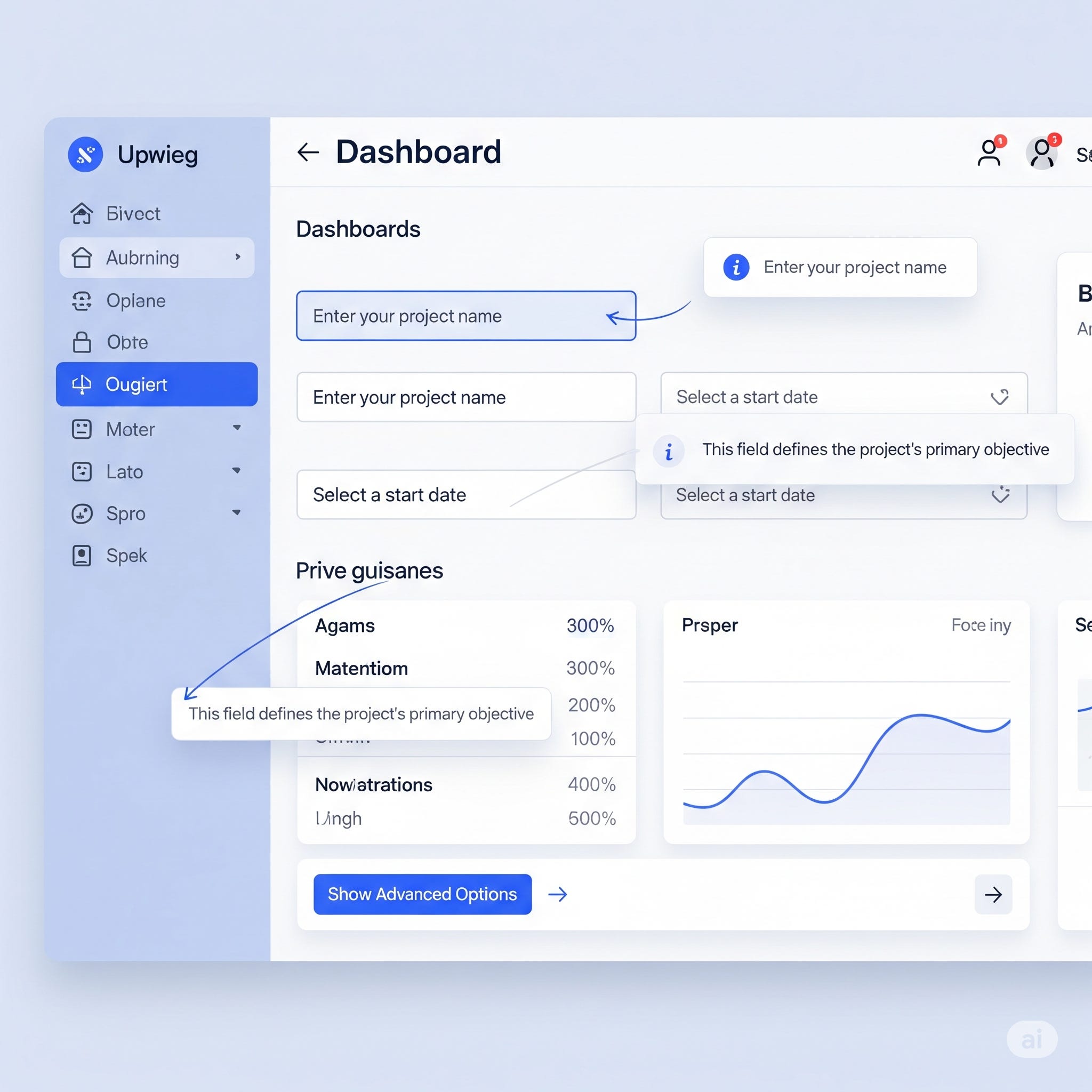
Most UX approaches assume users arrive with existing knowledge. When they don't, we fall back on tooltips, help center links, or downloadable PDFs. Let's be honest: nobody clicks those. But what if the interface itself could teach?
The Science Behind Learning While Doing
Cognitive science provides clear evidence that people learn best in context, during the task itself, rather than before or after. This isn't a new concept—contextual design methodologies have long emphasized the importance of understanding users in their natural work environment, recognizing that work becomes so habitual that users often have difficulty articulating what they do and why they do it.
Recent advances in machine learning have introduced the concept of "in-context learning," where large-scale models acquire new capabilities directly from the context of input examples without separate training. This mirrors how humans naturally learn: by seeing patterns and examples within the flow of their actual work.
Embedded learning takes this principle and applies it to interface design. It involves creating interfaces that teach in real-time, without interrupting workflow. When executed well, it removes friction without adding clutter, transforming every interaction into a learning opportunity.
Why This Matters More Than Ever
In today's high-stakes, high-complexity systems, users face unprecedented challenges:
Onboarding under pressure. The current economic uncertainty has led to widespread layoffs, meaning remaining employees often take on expanded roles with limited training time. New users need to become productive quickly, often without the luxury of comprehensive training programs.
Constant task-switching. Modern knowledge workers juggle multiple systems, switching between interfaces throughout the day. Each switch creates a cognitive burden—embedded learning can reduce this by making interfaces more intuitive and self-explanatory.
Learning new updates while working. With AI integration accelerating across platforms and cross-platform experiences becoming more complex, users constantly encounter new features and capabilities. They need guidance that doesn't disrupt their primary tasks.
Operating in risk-intolerant environments. In healthcare, finance, and other regulated industries, mistakes have serious consequences. Users need interfaces that not only guide them toward correct actions but also help them understand why those actions matter.
They don't have time to study manuals. They need cues that guide, inform, and build confidence on the fly.
Embedded Learning Strategies That Work
1. Progressive Disclosure with Purpose
Don't overwhelm users with everything at once. Progressive disclosure has evolved beyond simply hiding advanced features—it's now about revealing options at the exact moment they become relevant to the user's mental model and workflow.
Example: A collapsed "Advanced Filters" section in an analytics dashboard that doesn't just expand on click, but provides contextual hints about when advanced filtering might be beneficial ("Having trouble finding the right data? Try advanced filters to narrow your search").
Implementation tip: Track user search patterns. If someone performs three unsuccessful searches in a row, automatically surface the advanced filters hint.
This aligns with current trends toward personalized experiences, where interfaces adapt based on user behavior rather than following one-size-fits-all approaches.
2. Smart Defaults That Teach
Pre-select common or recommended settings based on user role, task context, or organizational policies. But don't stop there—include subtle justifications that help users understand the reasoning behind recommendations.
Example: "Most clinicians in your department choose this coding option" or "This setting complies with your organization's data retention policy."
Implementation approach: Build these recommendations from actual usage data within your organization. Start with simple frequency analysis ("80% of users in your role select this option") and evolve toward more sophisticated contextual recommendations.
This approach helps users learn what's typical and why, building their expertise over time.
3. Inline Guidance Over Interruptions
Modal dialogs and pop-ups break concentration and workflow. Instead, favor passive prompts that coexist with the user's primary task. Use field-level hints, contextual nudges, or embedded microcopy that appears when and where it's needed.
Example: "Need help choosing a code? Start typing to see popular options based on similar cases" appears directly within the input field, providing guidance without requiring a separate help interaction.
Technical implementation: Use progressive enhancement. Start with static placeholder text, then add dynamic suggestions based on user input patterns and similar case histories.
This approach aligns with current trends toward "invisible" or Zero-UI design that maintains functionality while reducing visual clutter.
4. Task-Based Templates as Learning Scaffolds
Rather than confronting users with blank slates, provide pre-structured forms or pages that mirror real-world tasks. Templates aren't just time-savers—they're learning tools in disguise.
Well-designed templates show users the complete picture of what they need to accomplish, the typical order of operations, and the relationships between different pieces of information. Users learn by modifying existing structures rather than inventing from scratch.
Example: A case management template that includes not just empty fields, but placeholder text showing what type of information goes where ("e.g., 'Client reported increased anxiety during work hours'") and optional sections that reveal themselves based on case type.
Design principle: Create templates that progressively reveal complexity. Start with core required fields, then show optional sections only when they become relevant to the specific case or user's experience level.
5. Micro-Moments of Justification
Tell users why an action is recommended or required. This isn't about compliance—it's about building mental models that help users make better decisions independently.
Example: "This step ensures proper claims routing under VA policy" doesn't just tell users what to do; it helps them understand the broader system they're working within.
Content strategy: Partner with subject matter experts to identify the top 5 "why" questions users ask about each major workflow. Build these explanations directly into the interface at decision points.
Recent research on contextual assessment design emphasizes the importance of integrating diverse contexts that promote higher-order thinking and real-world applications. The same principle applies to interface design: explanations help users develop deeper understanding rather than just procedural knowledge.
The Evolution Beyond Tooltips
Tooltips serve a purpose, if they're the garnish, not the meal. Too many systems treat them as band-aids over poor workflows or unclear user interfaces. The tooltip trap is real: if a tooltip is essential for understanding basic functionality, that information should probably be baked into the interface itself.
As the UX industry grapples with automation and AI-driven design tools, the human skill of integrating learning seamlessly into interfaces becomes more valuable, not less. While AI can generate layouts and suggest interactions, the nuanced understanding of how people learn and work remains distinctly human.
Consider these questions when evaluating your current approach:
If you removed every tooltip from your interface tomorrow, would users still be able to accomplish their goals?
Are your help systems addressing workflow confusion, or are they compensating for design problems?
Do users learn more about your system through repeated use, or do they remain dependent on external help?
Embedded Learning as a Multidisciplinary Practice
This isn't just about interface design—it's about interface design as instruction. Creating effective embedded learning experiences requires cross-functional collaboration between:
UX designers who understand interaction patterns and user flows
Content strategists who can craft clear, contextual microcopy
Human factors engineers who understand cognitive load and learning theory
Product owners who can balance business requirements with learning objectives
Training specialists who understand how people develop expertise in your domain
With over 80% of businesses now adopting AI in some form and 53% using AI to innovate their products and services, the integration of these disciplines becomes even more critical. AI can provide personalized learning recommendations and adapt interfaces based on user behavior, but human experts must design the underlying learning frameworks.
The Business Case for Teaching Interfaces
When embedded learning is implemented effectively, the benefits extend far beyond user satisfaction:
Reduced support burden. Users who understand the logic behind interface decisions generate fewer support tickets and can often help themselves when they encounter new situations.
Increased adoption rates. Systems that teach users as they go have higher completion rates for complex workflows and see better long-term engagement.
Improved compliance and accuracy. In regulated industries, embedded learning helps ensure that users not only follow procedures but understand the reasoning behind them, leading to more consistent compliance.
Faster onboarding and knowledge transfer. With remote work continuing to dominate and teams becoming increasingly distributed, interfaces that effectively onboard new users reduce the burden on existing team members and accelerate time-to-productivity.
Looking Forward: The Future of Learning Interfaces
As we move into 2025, emerging trends like enhanced animations, 3D interfaces, and AI-driven personalization create new opportunities for embedded learning. Imagine interfaces that adapt their teaching style based on a user's learning preferences, or that use subtle animations to show the consequences of different choices before users commit to them.
The rise of cross-platform experiences and emotionally intelligent design also opens possibilities for learning that follows users across devices and contexts, building knowledge that transfers between different tools and environments.
But technology alone isn't the answer. The most sophisticated AI-powered interface will fail if it doesn't understand how people actually work and learn. Contextual inquiry and field research remain essential for understanding the hidden insights about work practices that may not be available through other research methods.
Moving Beyond Assumptions
Every interface makes assumptions about what users know and can figure out on their own. In complex, high-stakes systems, these assumptions often prove wrong. The cost of wrong assumptions isn't just poor user experience—it's reduced productivity, increased errors, and ultimately, systems that fail to deliver on their promise.
Embedded learning challenges us to question these assumptions and design interfaces that meet users where they are, not where we think they should be. It's about creating systems that respect both the expertise users bring and the knowledge they still need to develop.
The goal isn't to eliminate all learning curves—it's to make them navigable, purposeful, and integrated into the flow of real work. When we design interfaces that teach, we create tools that don't just accomplish tasks but build capability over time.
Getting Started: A Practical Framework
Ready to implement embedded learning in your own projects? Here's a concrete approach:
Week 1-2: Audit existing help patterns
Document every tooltip, help link, and support request in your current system
Identify the top 5 most common user confusion points
Map these to specific workflow moments
Week 3-4: Collaborate with domain experts
Interview subject matter experts to understand the "why" behind complex workflows
Identify learning moments where users typically struggle
Document the mental models experts use that novices lack
Week 5-6: Prototype embedded solutions
Replace your most problematic tooltips with inline guidance
Create one task-based template for your most complex workflow
Implement smart defaults for your most commonly configured settings
Week 7-8: Test and measure
Track completion rates, error rates, and time-to-competency
Monitor support ticket reduction for targeted workflows
Gather qualitative feedback on learning effectiveness
Start small, measure impact, then expand to additional workflows.
Your Turn
How have you approached embedded learning in your own projects? I'm particularly interested in:
Measurement strategies: How do you quantify learning effectiveness in interface design?
Cross-functional collaboration: What's worked (or hasn't) when partnering with domain experts?
Industry-specific challenges: How do compliance requirements or safety concerns shape your approach?
The intersection of learning science and interface design offers rich territory for exploration. The question isn't whether interfaces should teach but how we can do it better in our specific domains.
Working on complex systems that require user learning? I'd welcome the opportunity to discuss embedded learning strategies that fit your specific context and constraints.